Visits from mobile
87%
Flows tested with users
4
People in the tests
92
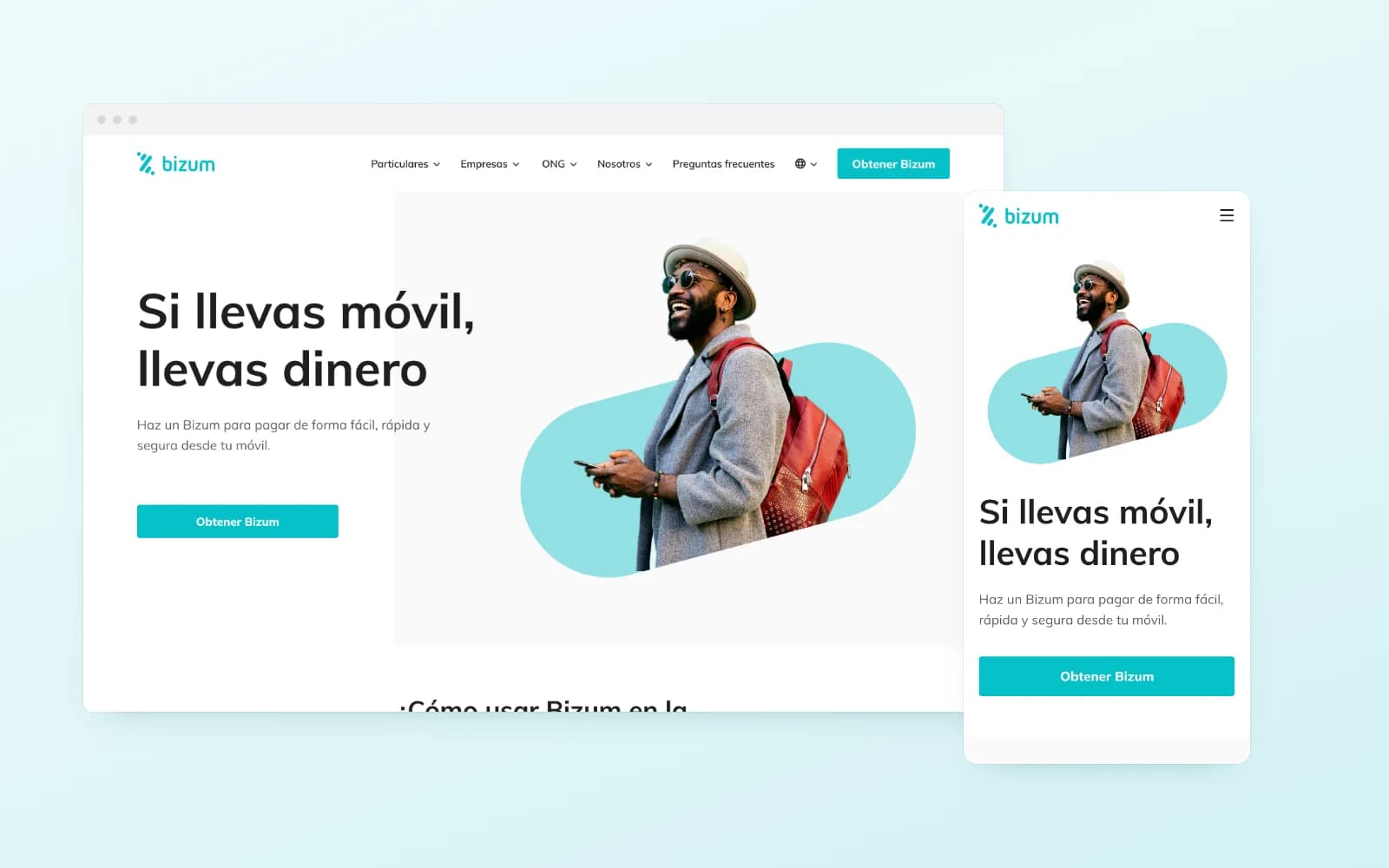
Bizum was already the way friends sent each other money, but its website did not help people get started. It had to explain in seconds what it is, how to activate it from your bank app and everything it allows: sending and requesting money, paying online or donating to a charity, for individuals, businesses and organisations. As Senior Product Designer I led the project end to end: data, architecture, wireframes, user testing, final design and design system.
02 Data and SEO
Starting from the data
Before drawing anything we analysed the site traffic and SEO. Almost nine in ten visits came from mobile, and the most searched pages were banks, FAQ, charities and businesses. That set two decisions: design mobile first and keep the bank search and the FAQ one click away from any page.
Sessions by device
Most visited pages
- 01Banks
- 02FAQ
- 03Charities
- 04Businesses
- 05Online shopping
- 06Incidents
03 Architecture
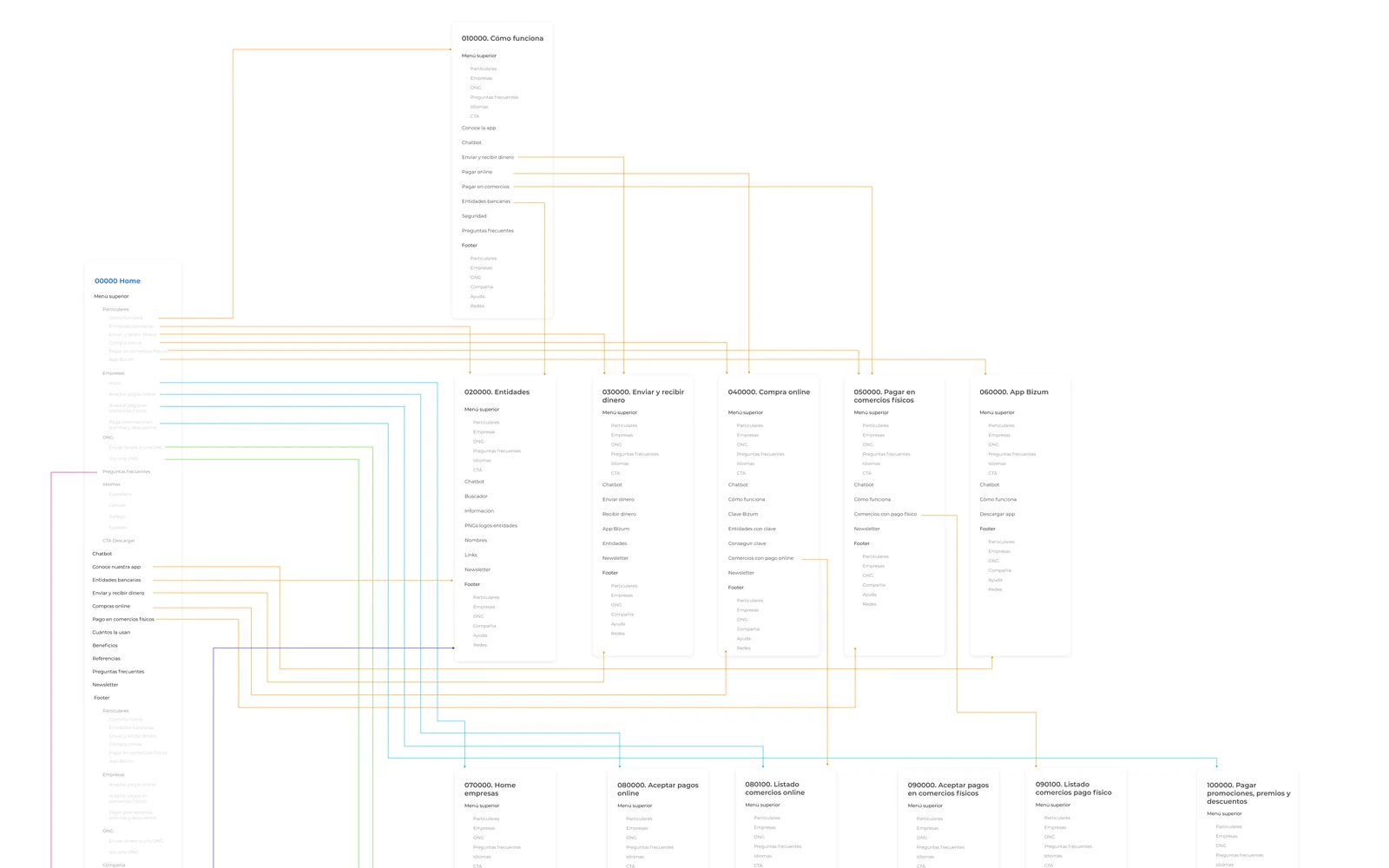
A map built around profiles
We organised the content by profile: individuals, businesses, charities and about us. Every page was defined in a userflow covering the full journey, from the home to the last FAQ, before moving to screens.
04 Wireframes
Structure first
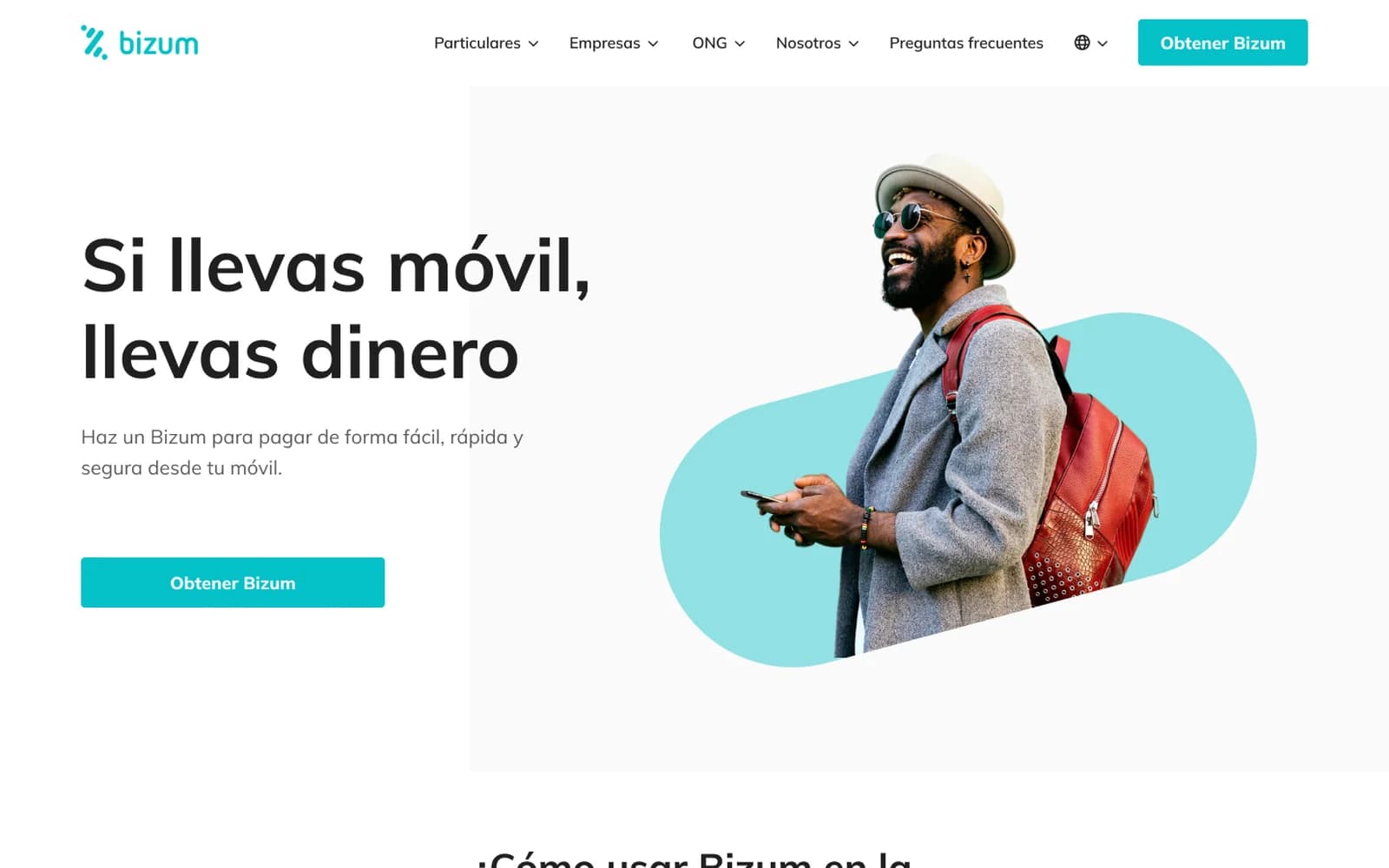
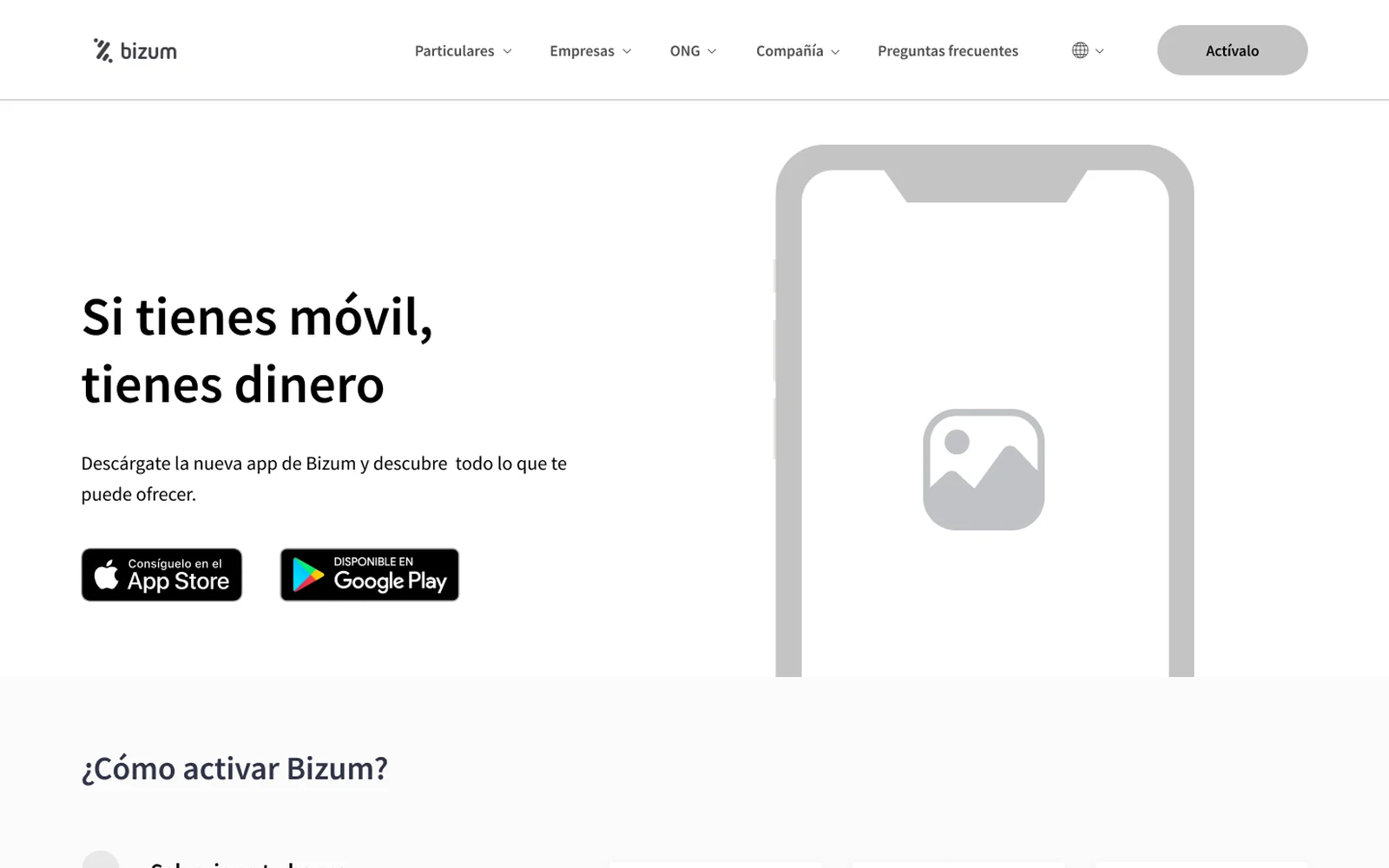
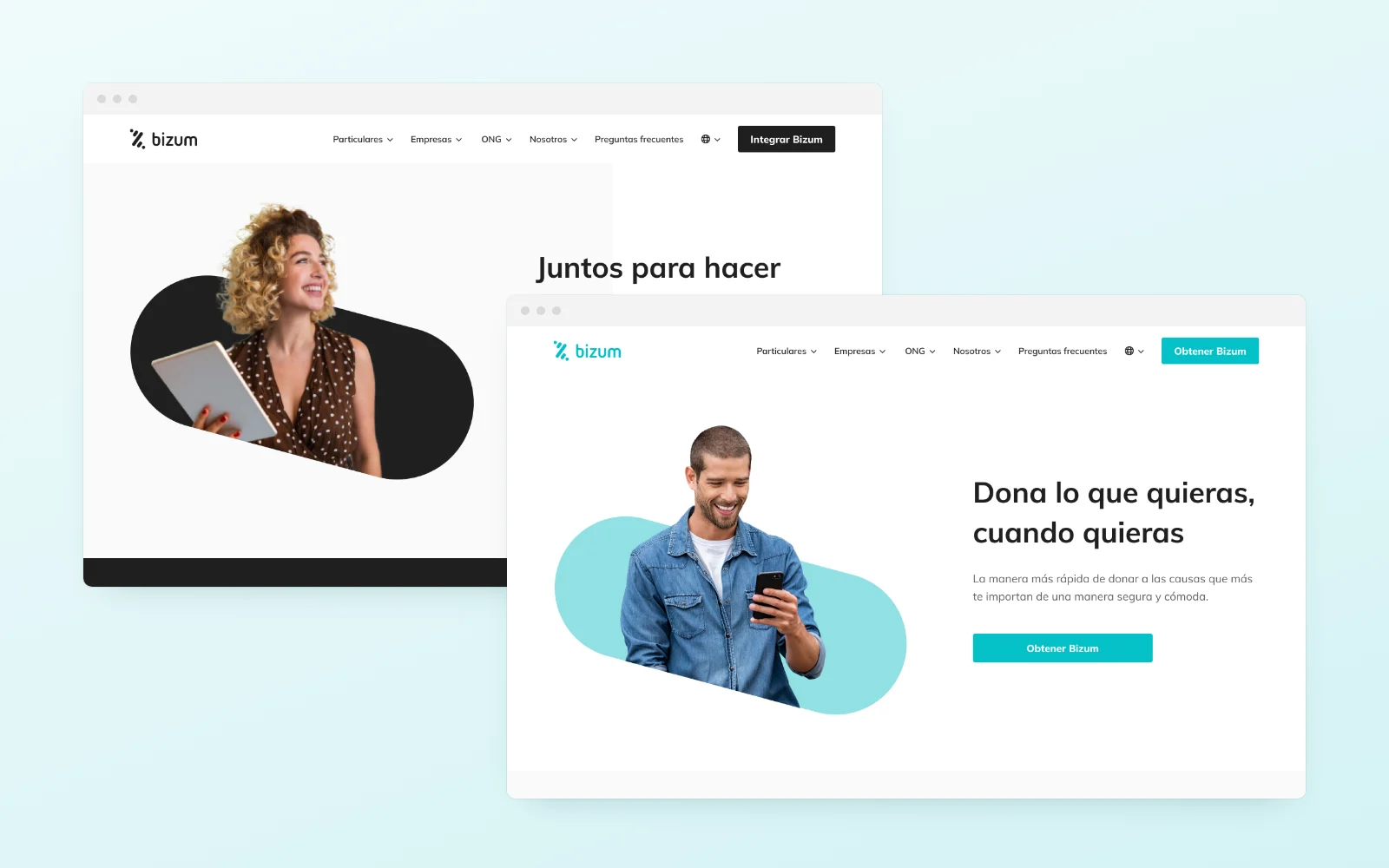
Grey wireframes set the structure and the messages without colour getting in the way. Comparing them with the final design shows what stayed: the hierarchy and the order of every block.
05 User testing
Tested before designing
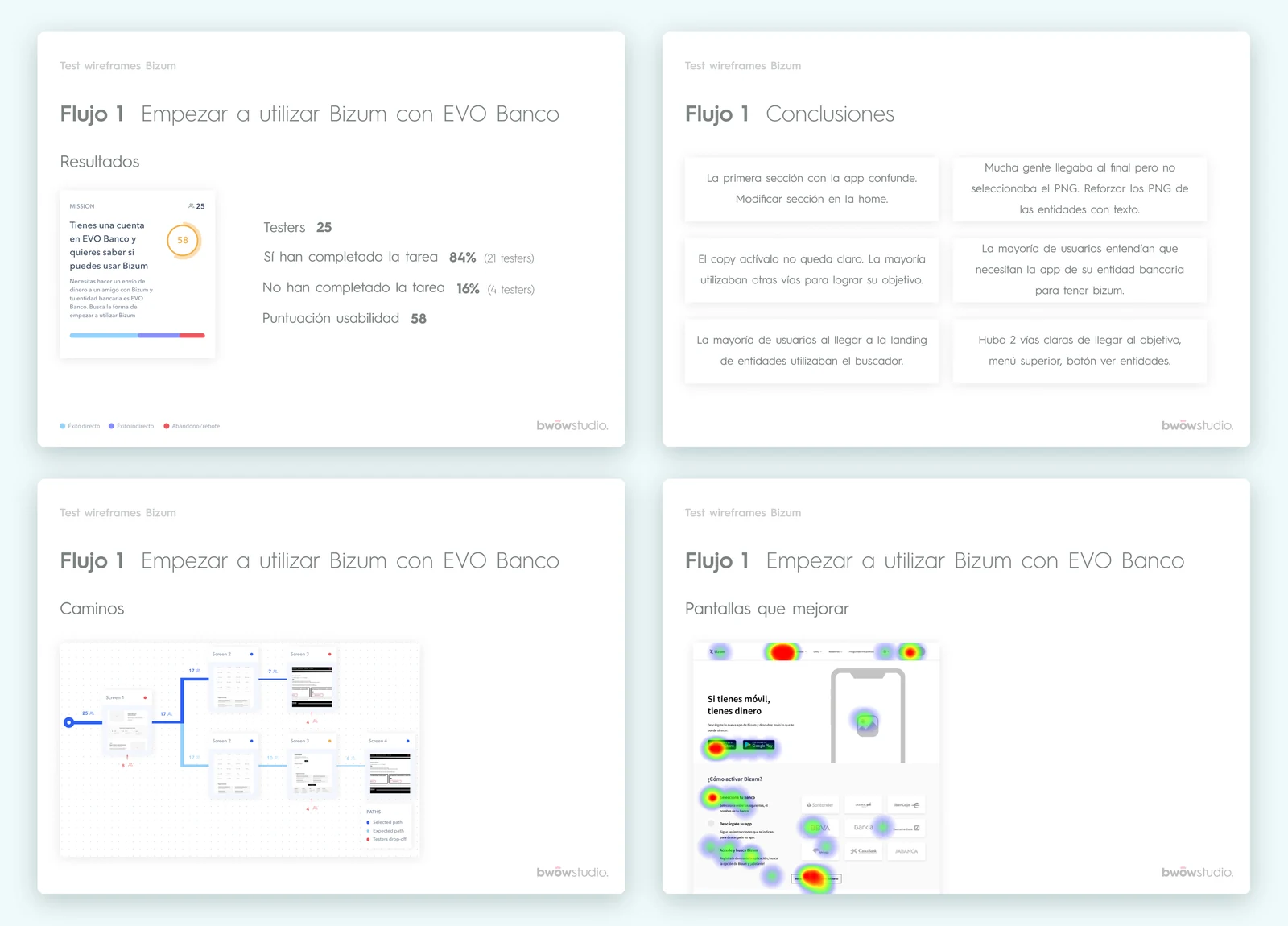
With Maze we tested the wireframes on four real tasks with 92 people. We measured who reached the goal, by which path and where they got lost. The usability score kept rising from one flow to the next, and every finding went back into the design.
- 01The first section with the app was confusing, so it was rebuilt in the home.
- 02The Activate button copy was unclear and was rewritten.
- 03On the banks page almost everyone went to the search, which became the hero.
- 04Bank logos were reinforced with their names so they were never missed.
Flow 1
Start using Bizum with your bank
0%
completed the task
Flow 2
Send money to a charity
0%
completed the task
Flow 3
What you need to pay online
0,0%
completed the task
Flow 4
Add Bizum to your online shop
0,0%
completed the task
06 Final design
Clear, friendly and on any screen
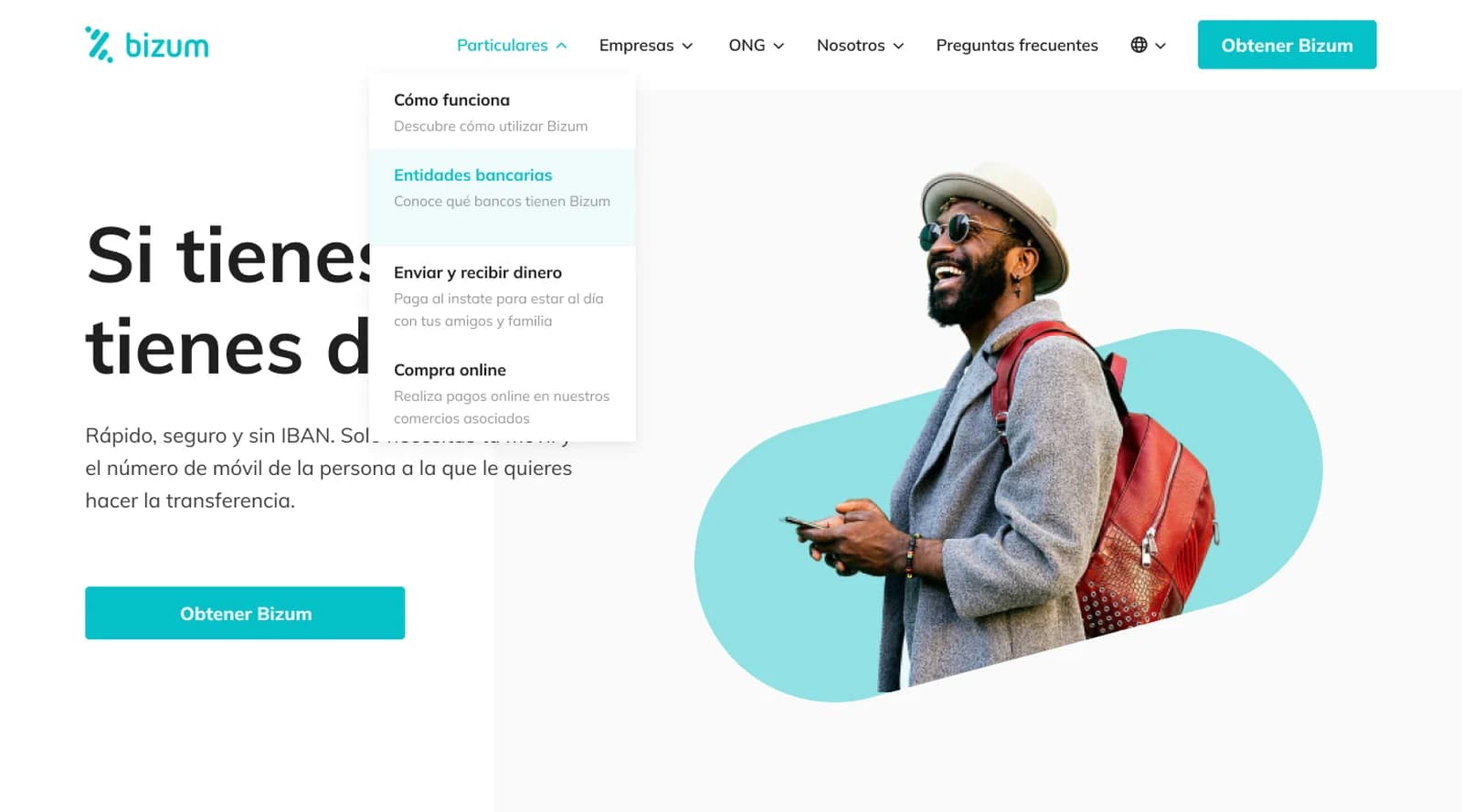
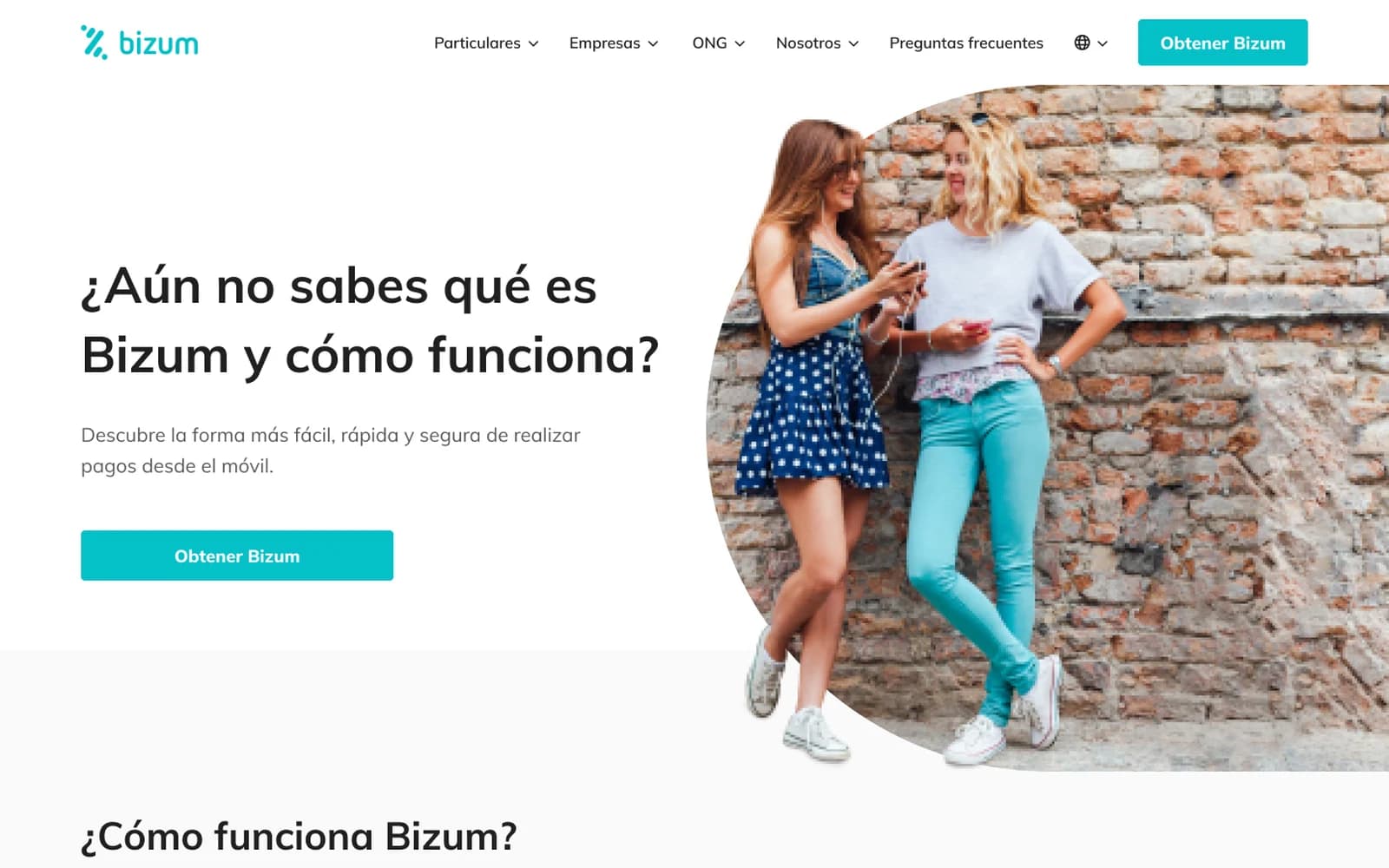
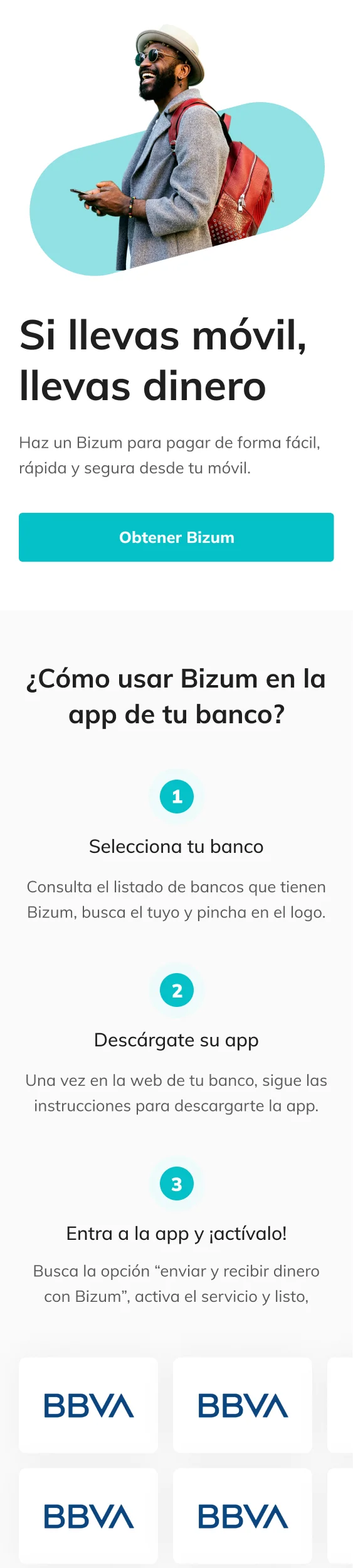
The final design carries that structure into a clear and friendly site: short headlines, real photography cropped with the brand shape, numbered steps and figures that build trust. The same home works on desktop and mobile.








07 Banks
Your bank in seconds
The most visited page became a search: you type, the list filters instantly and, if your bank is not there, an empty state tells you what to do next.
- AAbanca✓ Bizum available
- BBBVA✓ Bizum available
- BBankinter✓ Bizum available
- CCaixaBank✓ Bizum available
- CCajamar✓ Bizum available
- EBEVO Banco✓ Bizum available
- IIbercaja✓ Bizum available
- IING✓ Bizum available
08 Mobile
Designed for the thumb
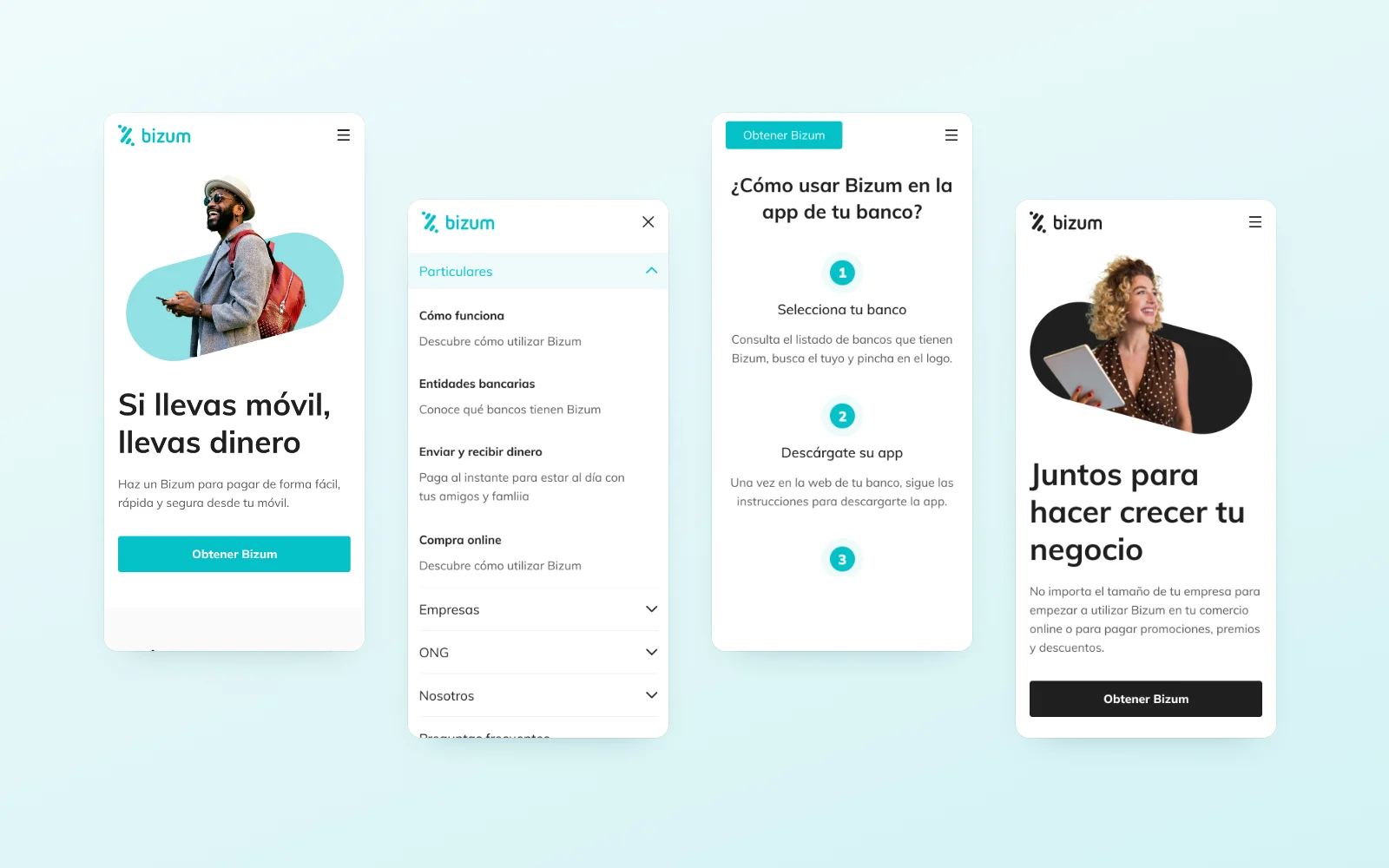
Since most people arrive on mobile, every page has its mobile version: a full screen menu, blocks that fit in one screen and buttons within thumb reach.
09 Design System
One system for the whole site
Bizum blue in five levels, greys for text and surfaces, a red kept for errors and Muli in two scales, desktop and mobile. The header with its dropdowns, buttons, fields, tags, icons, cards and the mobile menu were documented with all their states so every new page came from pieces already solved.
Colour
Typography · Muli
- H140 / 5244 / 54Bizum
- H234 / 5028 / 38Bizum
- H324 / 3220 / 28Bizum
- H420 / 32Bizum
- Body 116 / 2817 / 27Bizum
- CTA18 / 2817 / 27Bizum
- Details14 / 22Bizum
- Numbers48 / 6840 / 681.234
Desktop · Mobile

Buttons
Links
Ver más informaciónTags
Field on colour
Check the email format
Acepto la política de privacidadIcons
Bank
Steps
- 1Selecciona tu bancoConsulta el listado de bancos que tienen Bizum, busca el tuyo y pincha en el logo.
- 2Descárgate su appUna vez en la web de tu banco, sigue las instrucciones para descargarte la app.
- 3Entra a la app y actívaloBusca la opción enviar y recibir dinero con Bizum, activa el servicio y listo.
Cómo funcionaDescubre cómo utilizar Bizum
Entidades bancariasConoce qué bancos tienen Bizum
Enviar y recibir dineroPaga al instante para estar al día con tus amigos y familia
Compra onlineRealiza pagos online en nuestros comercios asociados
¿Eres una empresa?Descubre qué te ofrece Bizum
Aceptar pagos onlineTe contamos cómo aceptar pagos realizados con Bizum
Pagar promociones, premios y descuentosUna nueva forma de pagar en tu empresa
Envía dinero a una ONGLa mejor manera de donar a las causas que quieras
Soy una ONGCómo obtener Bizum
Sobre nosotrosQuiénes somos, nuestra marca, equipo, filosofía...
BlogSi tienes alguna duda escríbenos
ContactoSi tienes alguna duda escríbenos
ColaboradoresCreamos sinergias con los principales agentes
Área de prensaSi tienes alguna duda escríbenos
DatosLa evolución de Bizum en números
FAQ
¿Necesito el número de cuenta para enviar dinero?
No. Con Bizum solo necesitas el número de móvil de la persona a la que envías el dinero.
Ver más información¿Cómo activo Bizum?
Desde la app de tu banco, en la opción de Bizum, siguiendo los pasos para darte de alta.
Ver más información¿Puedo pagar en tiendas online?
Sí, en los comercios que lo ofrecen. Al pagar eliges Bizum y confirmas desde la app de tu banco.
Ver más informaciónNext project
Acompartir